
To use CloudFront with S3 Media Maestro, you need a CloudFront key pair ID and its private key. S3 Media Maestro uses them to sign the media URLs it creates.
Note: AWS recommends key groups instead of root-account key pairs, but S3 Media Maestro currently requires a CloudFront key pair.
Create the key pair in AWS
-
Sign in to AWS as the root user. AWS doesn’t let IAM users create CloudFront key pairs.
-
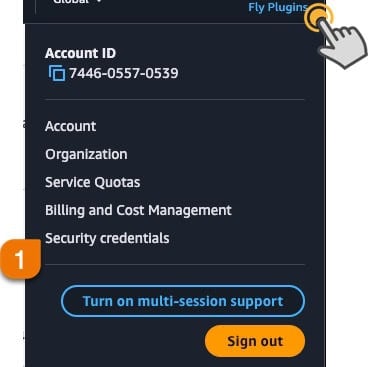
Click your account name in the upper right corner and choose Security credentials.

-
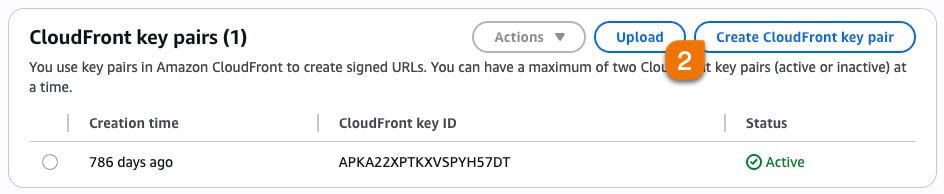
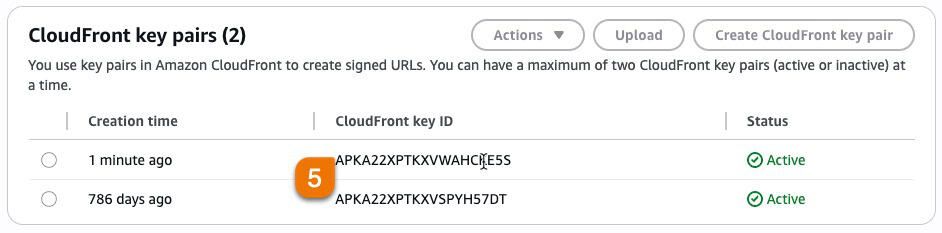
Find CloudFront key pairs and click Create CloudFront key pair. You can have at most two active key pairs.

-
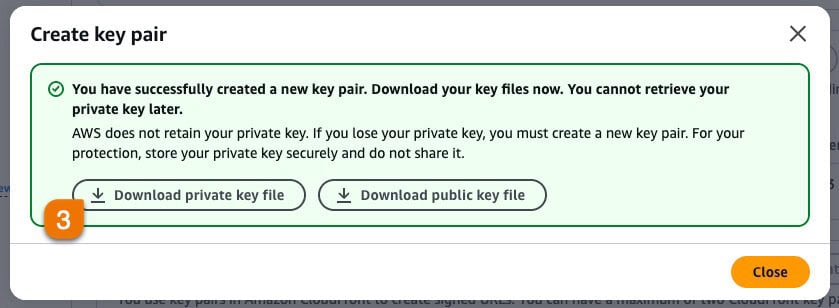
Download the private key file straight away and keep it somewhere safe. AWS can’t show it to you again.

-
Note the key pair ID. In the list of CloudFront key pairs, AWS labels it Access key ID.
Add it to S3 Media Maestro
-
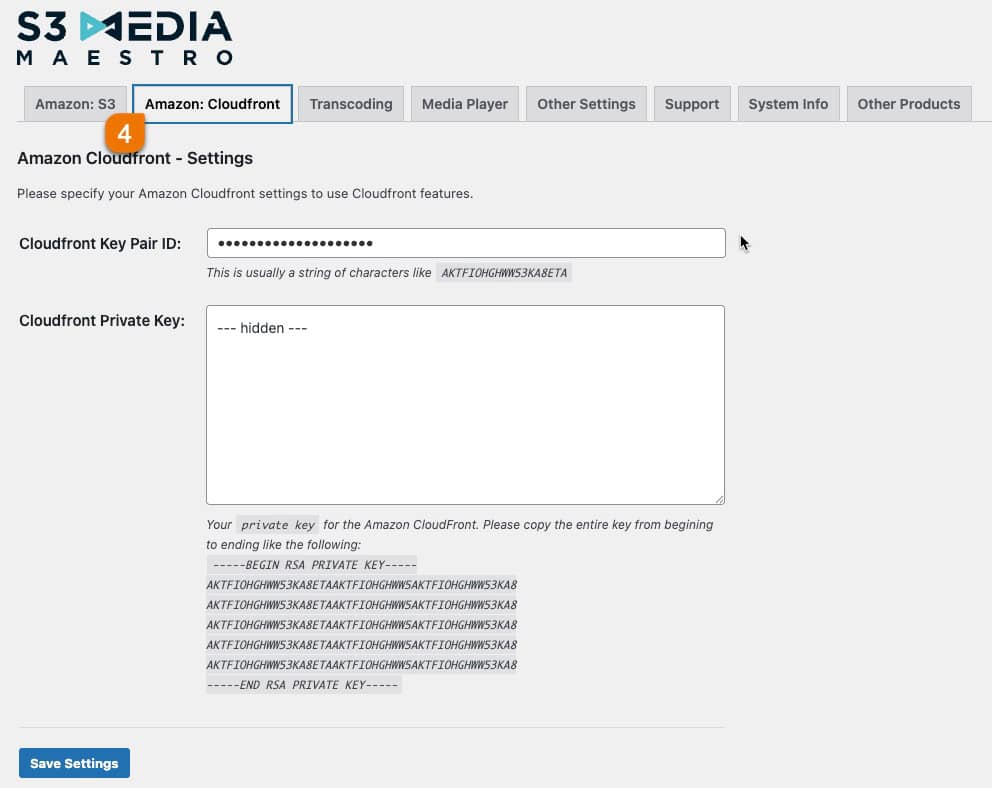
In WordPress, go to Settings→S3 Media Maestro and click the Amazon: Cloudfront tab.

-
Paste the key pair ID into the Cloudfront Key Pair ID field.

-
Open the private key file in a text editor (Notepad on Windows, TextEdit on Mac). Copy everything from the
-----BEGINline to the-----ENDline, paste it into the Cloudfront Private Key field, and click Save Settings.
S3 Media Maestro is now set up with your CloudFront credentials. Next, see How to configure CloudFront.
