Note: This guide is for S3 Media Maestro 3.2.4 and below. For version 4.0 and later, see How to embed media from CloudFront.
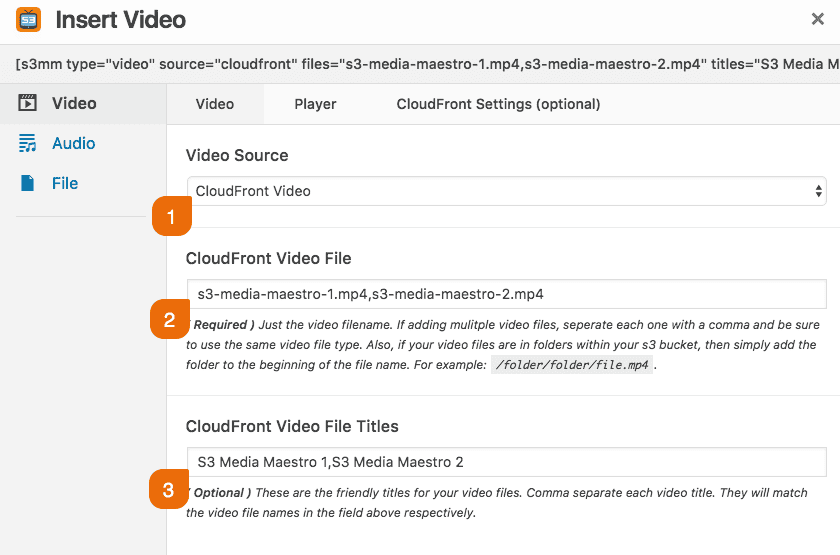
This article assumes that you have set up your CloudFront Key Pair and created your CloudFront Distribution. You can simply use the shortcode builder to insert your audio/video/file using a CloudFront distribution. The example below demonstrates adding 2 videos via the shortcode builder.
- Select the CloudFront Video video source
- Add the file names. If you have multiple videos, simply comma separate the videos.
- Add the file titles (this option is only valid in the video and audio context) for the purpose of displaying the title in the playlist.